

ROOM · 3D
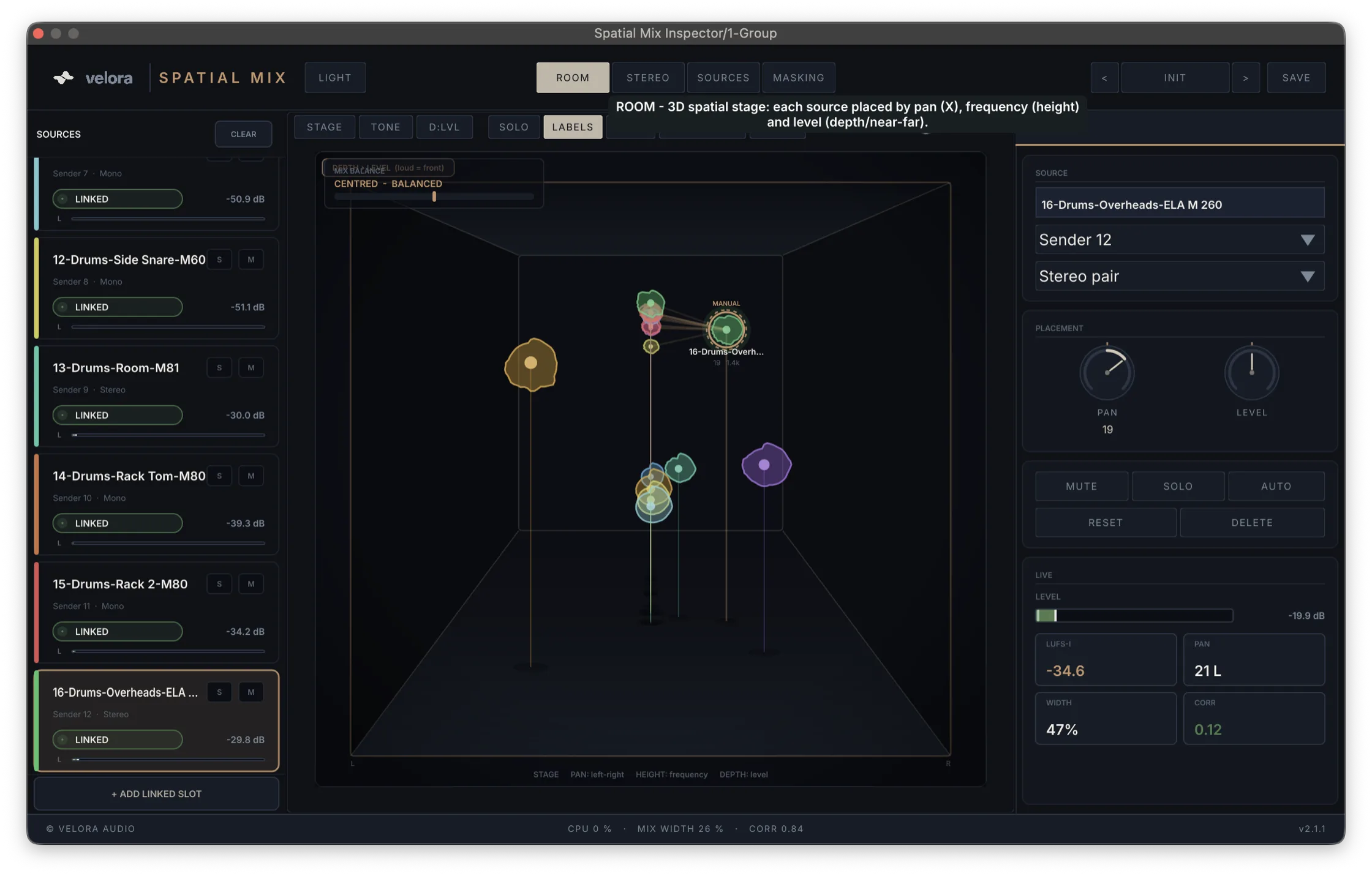
Every track as a source in the stereo-depth room. Drag a source and it moves the real signal — pan and level change live. Reverse mixing.
Best for · Placement · depth
3D MIX ANALYZER
See every track as a source in a 3D stereo field — then mix by dragging it. Loudness, spectrogram and masking, all in one window.
Hear the room. See the room.
Placement, stereo image, balance, masking — each view answers a concrete mixing question, in real time, with zero latency.
Every track as a source in the stereo-depth room. Drag a source and it moves the real signal — pan and level change live. Reverse mixing.
Best for · Placement · depth
Goniometer and field-scope with correct left / centre / right placement and a live correlation readout. See the stereo image, not guess it.
Best for · Width · phase
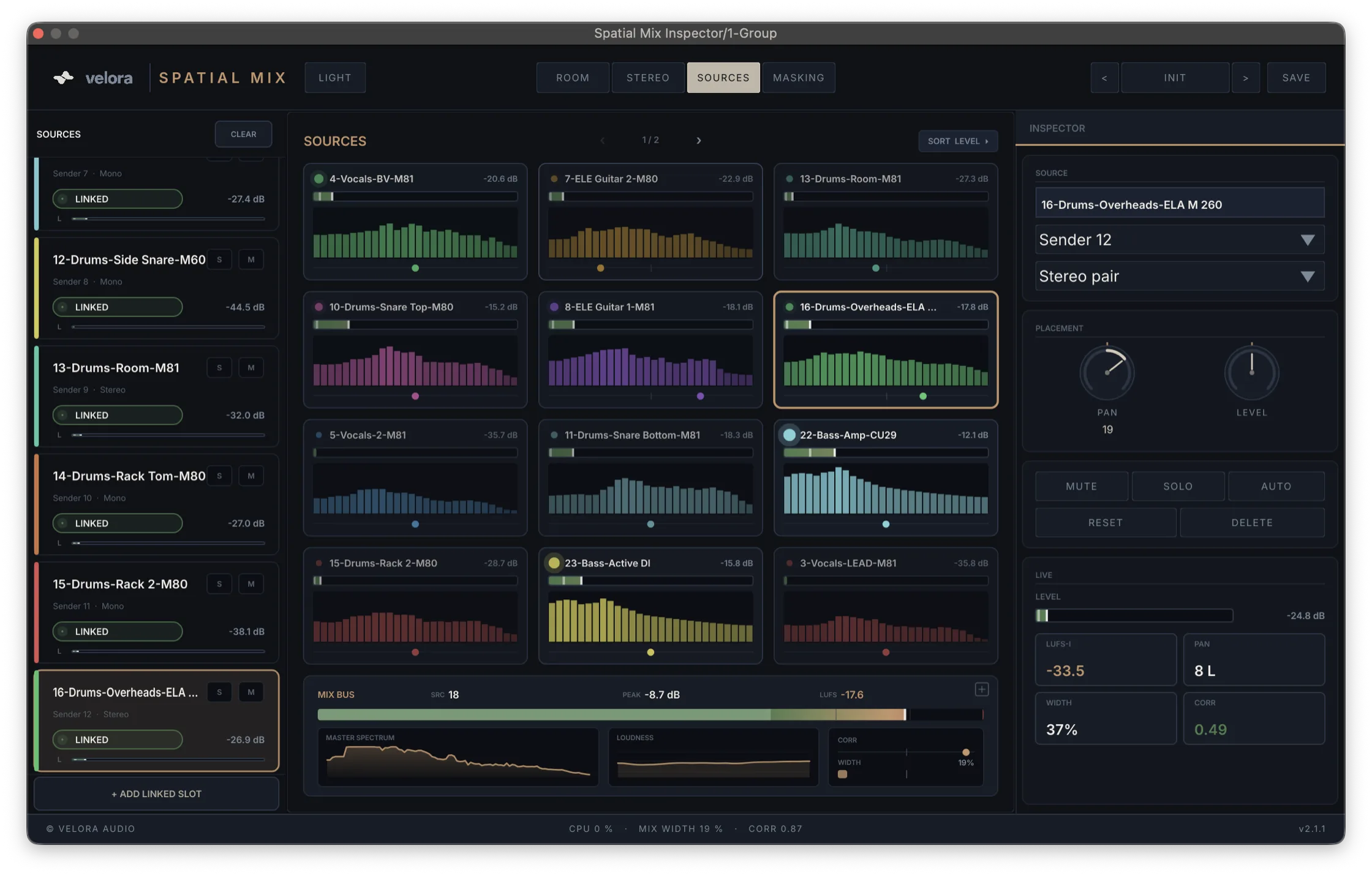
Level, width, correlation and true-peak of every source side by side — paginated cards so even a 20-track session stays readable.
Best for · Balance · level
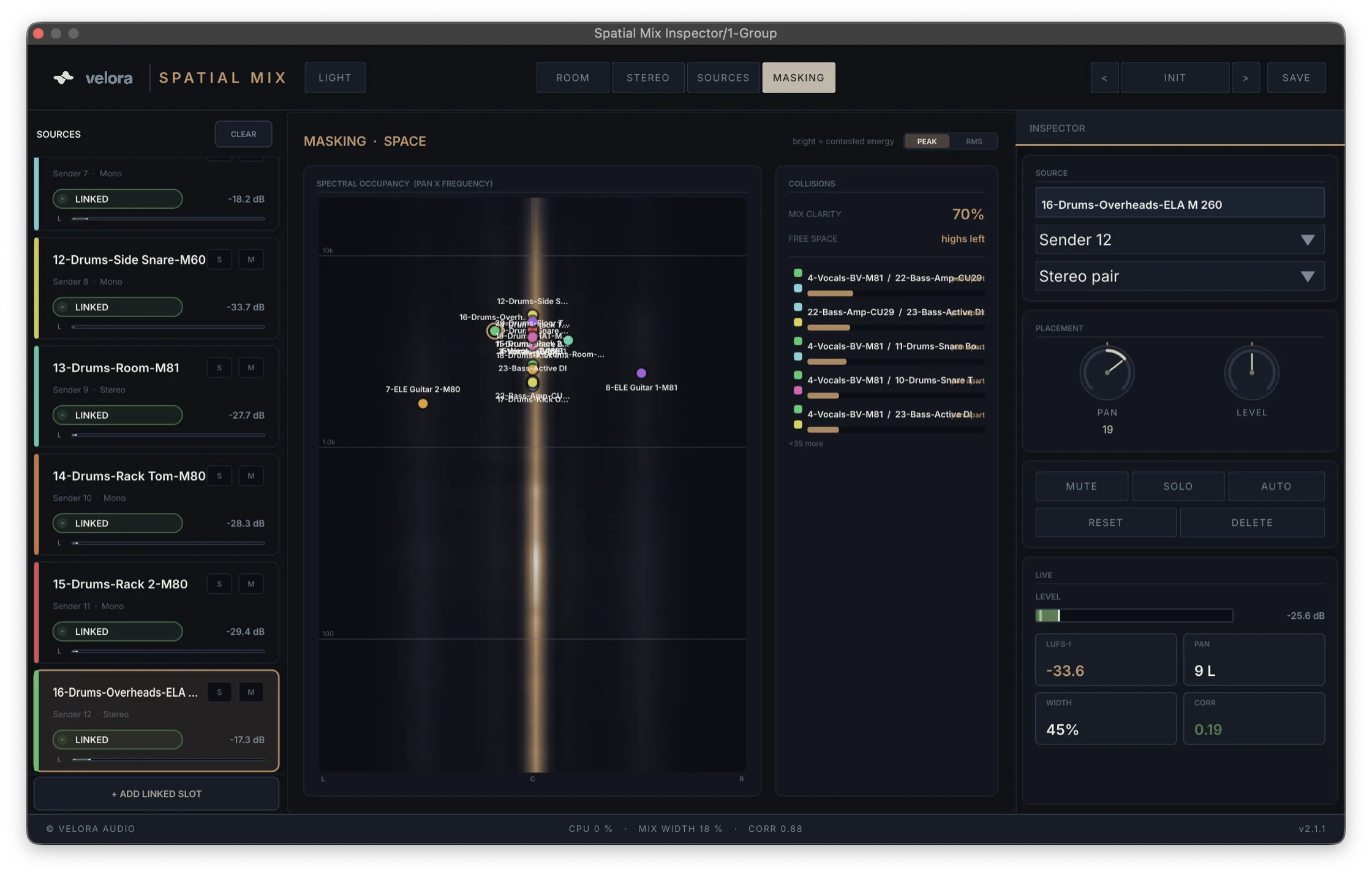
A frequency-over-pan heatmap shows where tracks mask each other — and names the emptiest zone, the concrete spot where there's still room.
Best for · Clashes · space
Grab a source in the 3D room and drag. Pan and level change on the real signal — sample-accurate and click-free — through the Sender on that track. Most analyzers show you the problem. This one lets you fix it without leaving the view.
Drop the Inspector on your group or master and read the bus the way a mastering engineer does.
Integrated, Short-Term, Momentary and LRA with proper gating, plus true-peak. Streaming targets for Spotify, Apple and EBU show how far off you are, in LU.
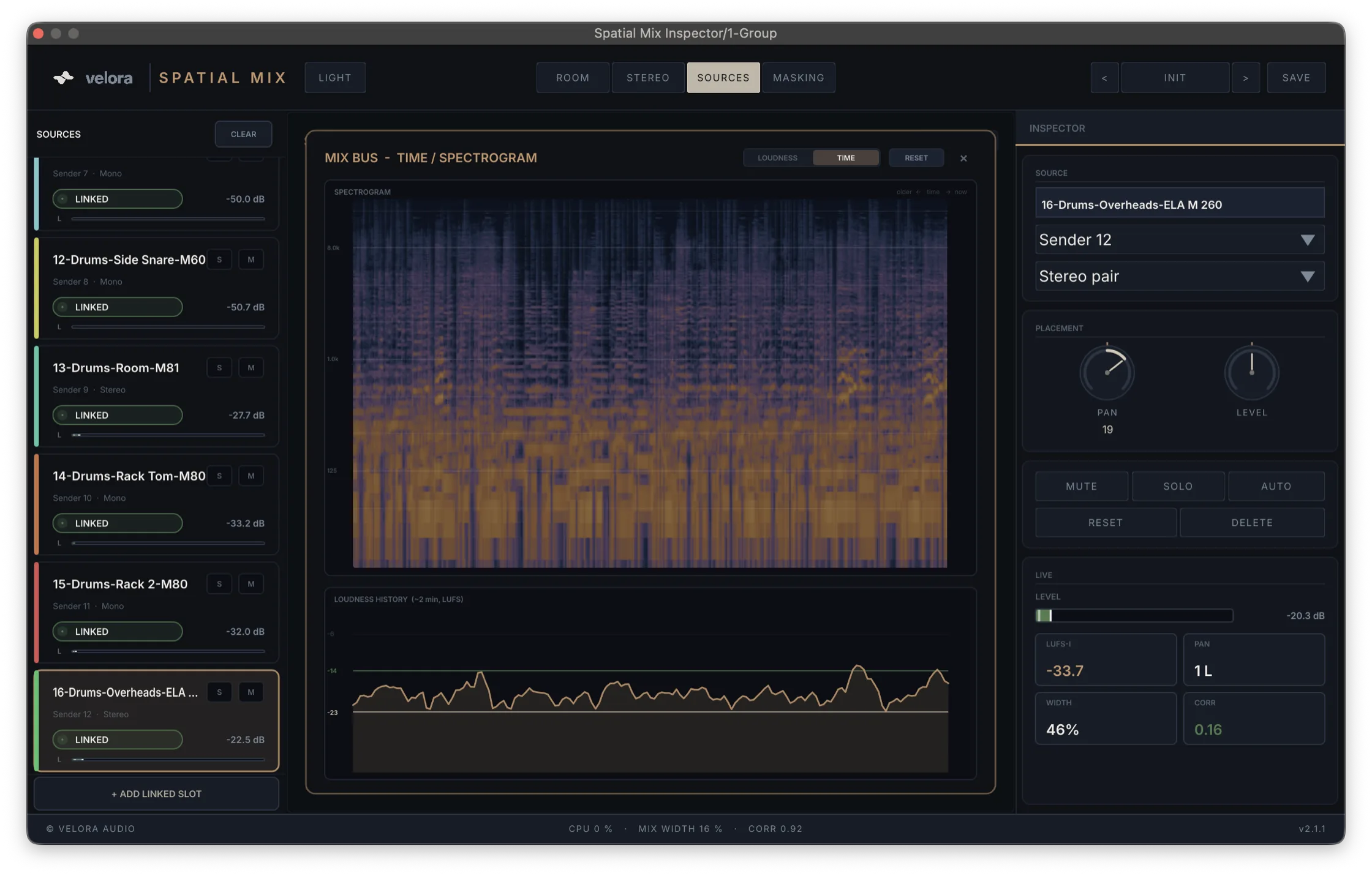
A 4096-point FFT mapped to 320 log bands paints a detailed scrolling spectrogram of the bus — watch the tonal balance move over time.
A rolling two-minute trace of integrated loudness, so you can see the arrangement breathe across a section.
Every readout is built to spec — the same standards a mastering engineer and a streaming platform use.
Full K-weighting with proper absolute and relative gating. Integrated, Short-Term (3 s), Momentary (400 ms) and LRA — the real loudness, not an RMS approximation.
Inter-sample peaks caught with 4× oversampled true-peak detection, so you see the clipping a sample meter misses before the limiter does.
Spotify −14, Apple −16, EBU −23 LUFS shown live with the exact ± in LU and an at-a-glance over/under arrow. Hit your platform on purpose.
For the selected source: true-peak, integrated & short-term loudness, crest, dynamic range, stereo width and correlation — full master-grade metering on a single track.
The goniometer and field-scope show true left / centre / right placement and a real correlation coefficient — so a hard-left guitar actually reads hard-left.
The Inspector measures the bus it sits on, matched to your DAW's master — the spectrum, loudness and peaks are the print, not an estimate.
Don't just meter your mix.
Mix inside it.
Twenty tracks, GPU-drawn views and live metering — without bogging your session down.
Senders go virtually free whenever no Inspector window is open — leave them on every track without a cost.
Source cards page, stereo rings spread and room clashes gate — the views stay readable as the track count grows.
OpenGL drawing with batched draw calls keeps the 3D room, spectrogram and meters fluid, not laggy.
Pure analysis — the Sender passes audio through untouched unless you grab a source. Nothing is added to the signal.
The Sender taps each track and feeds the Inspector — and stays virtually free while no Inspector window is open.
One installer adds both plugins as VST3 + AU, Universal — Apple Silicon and Intel.
Drop Spatial Mix Sender on every track you want to see in the field.
Put Spatial Mix Inspector on the group or master — and start moving sources.
The early beta — both plugins, every view. Free while it's in testing. Tell me what breaks.
First launch: the beta isn't Apple-notarised yet, so macOS blocks it on a double-click. Right-click the .pkg → Open, then Open again in the dialog. The installer drops both plugins in place.
If a plugin won't load, clear the quarantine flag once in Terminal:
xattr -dr com.apple.quarantine ~/Library/Audio/Plug-Ins/Components /Library/Audio/Plug-Ins/Components ~/Library/Audio/Plug-Ins/VST3 /Library/Audio/Plug-Ins/VST3